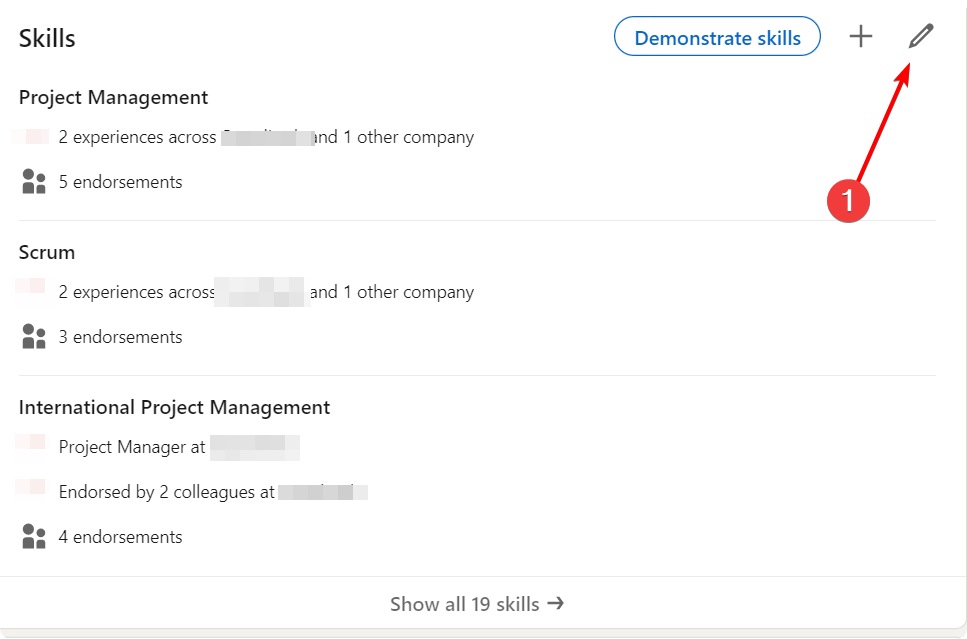
- Find the edit button on the skills section in your profile and click it.
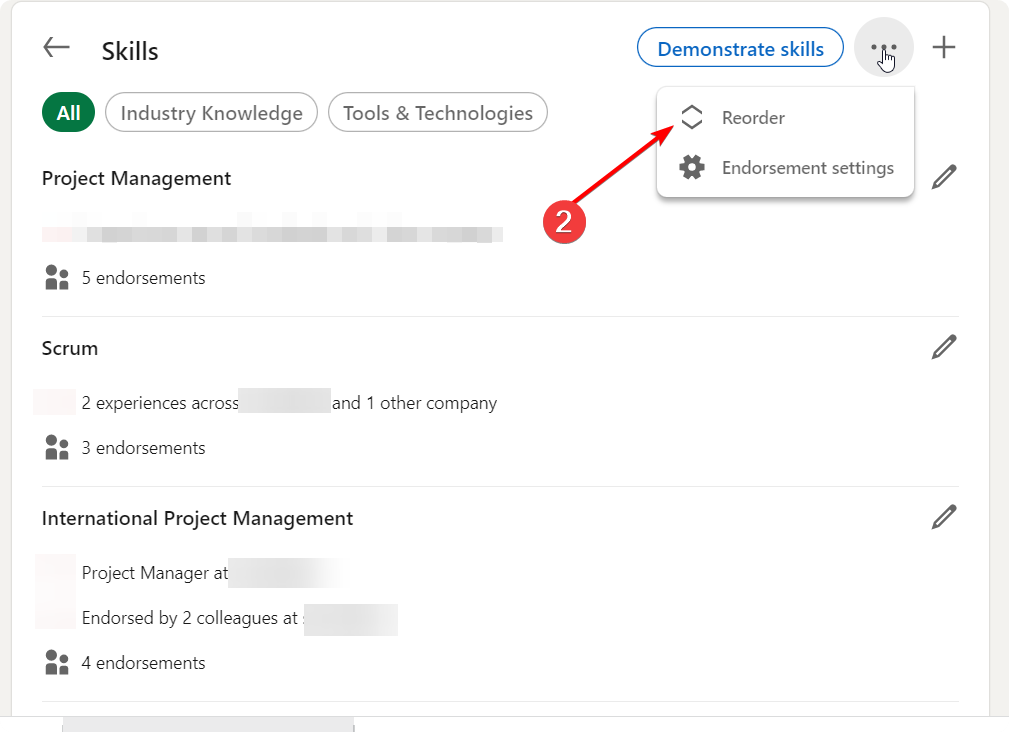
2. Find 3 dots in the Skills section and click Reorder
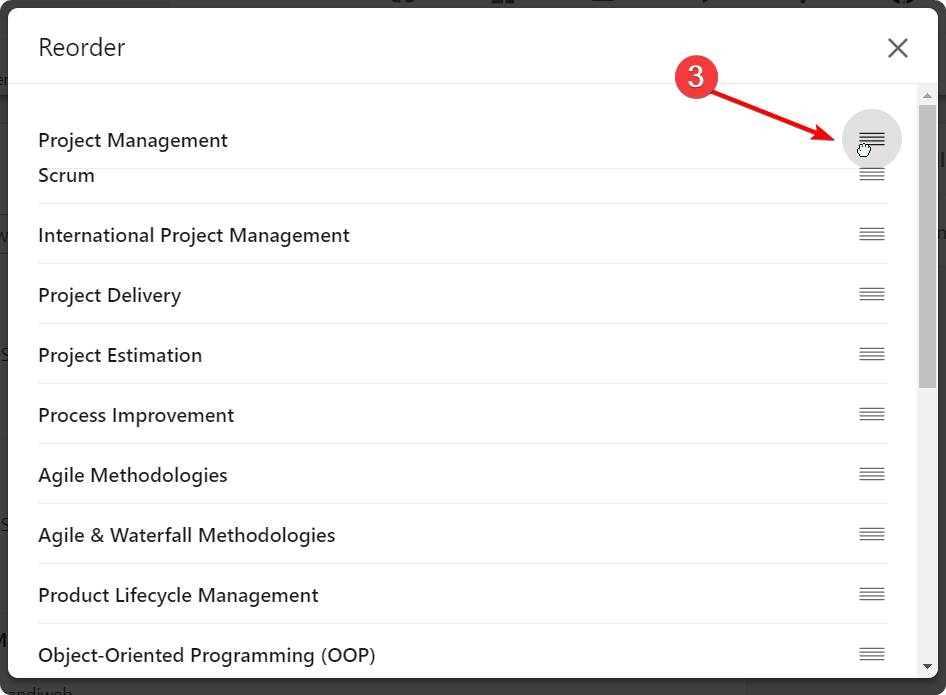
3. Reorder skills as needed and close the popup with “X”
2. Find 3 dots in the Skills section and click Reorder
3. Reorder skills as needed and close the popup with “X”
0 thoughts on “How to reorder skills in the LinkedIn profile”