- Find the “Add profile section” button and click it.

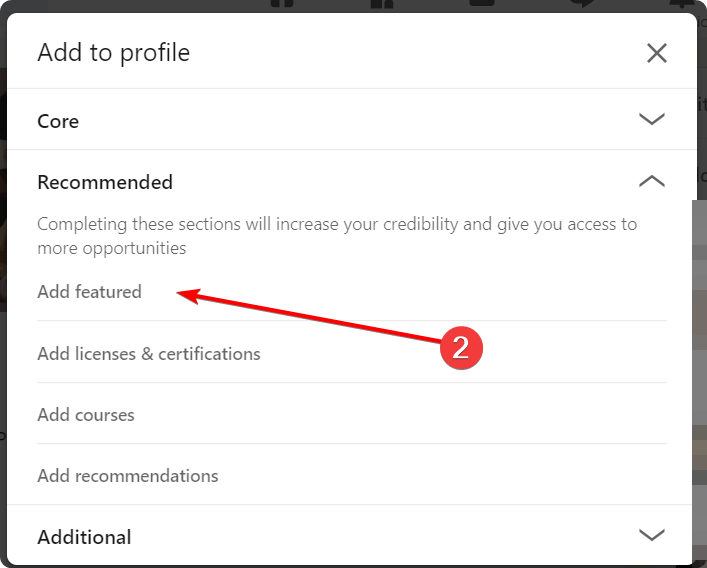
2. Find “Featured” and click
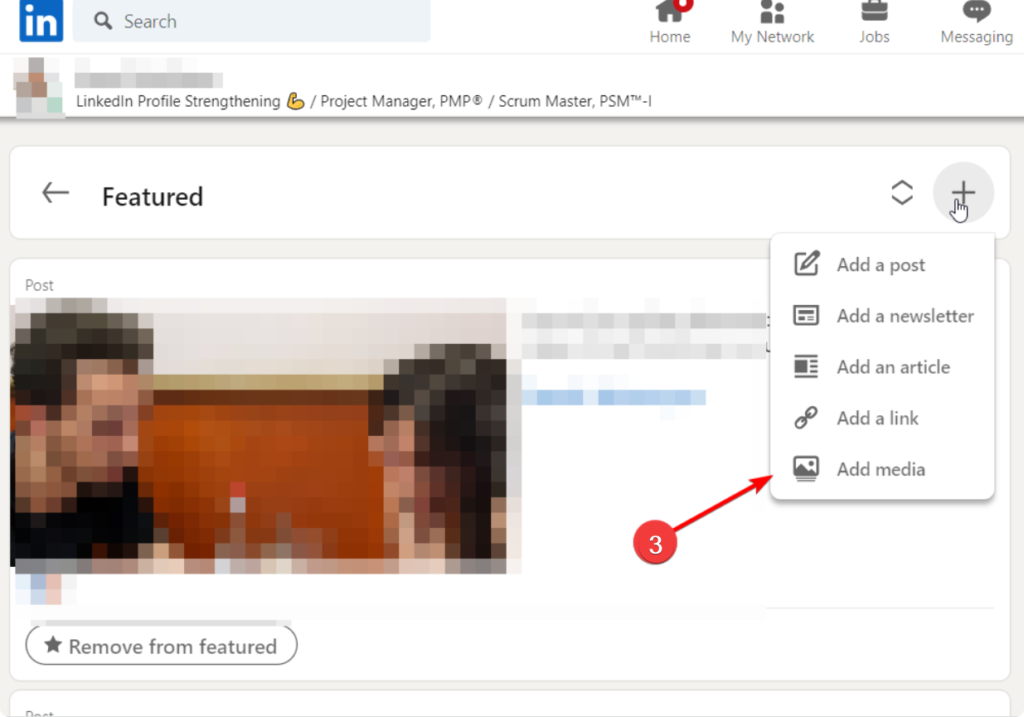
3. Find “Add media” and click
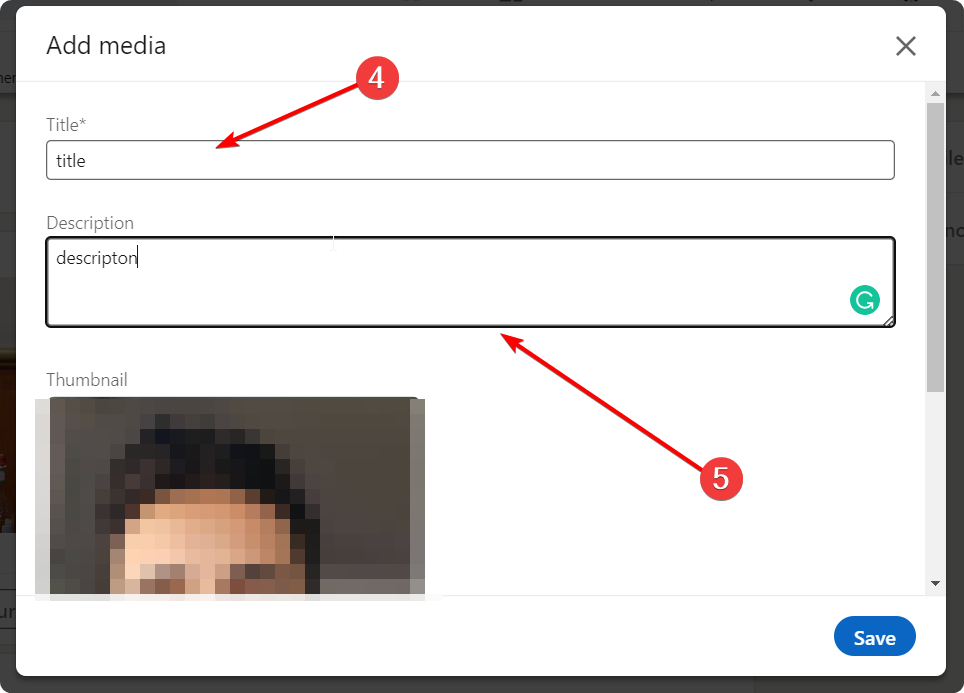
4. Choose an image, add a title and description and click save
2. Find “Featured” and click
3. Find “Add media” and click
4. Choose an image, add a title and description and click save
0 thoughts on “How to add Media in the Featured section on the LinkedIn profile”